 CodaKeys
A native Mac studio. A new way to make music.
A DAW with Claude
in the room.
Your tracks, your sounds, and Claude Code in the same workspace. Highlight a passage, describe what you hear, and turn the next idea into editable music.
The beta is by invitation: leave your email, and once you’re in, your own download link arrives by email.
Free while in beta · macOS 13 or later · Apple silicon · Claude Code signed in to your Claude account
Claude Code needs a paid Claude plan (Pro, Max, Team or Enterprise) or an Anthropic Console account. The free Claude plan does not include it. Your plan is separate from CodaKeys.
One song. The whole workflow.
Stay in the music.
Claude Code runs inside CodaKeys, with access to your project through the app’s tools. Point to a passage, ask in your own words, and work with the same notes, audio, and mixer you already see.
01 / In the session
Point to the part. Ask in your words.
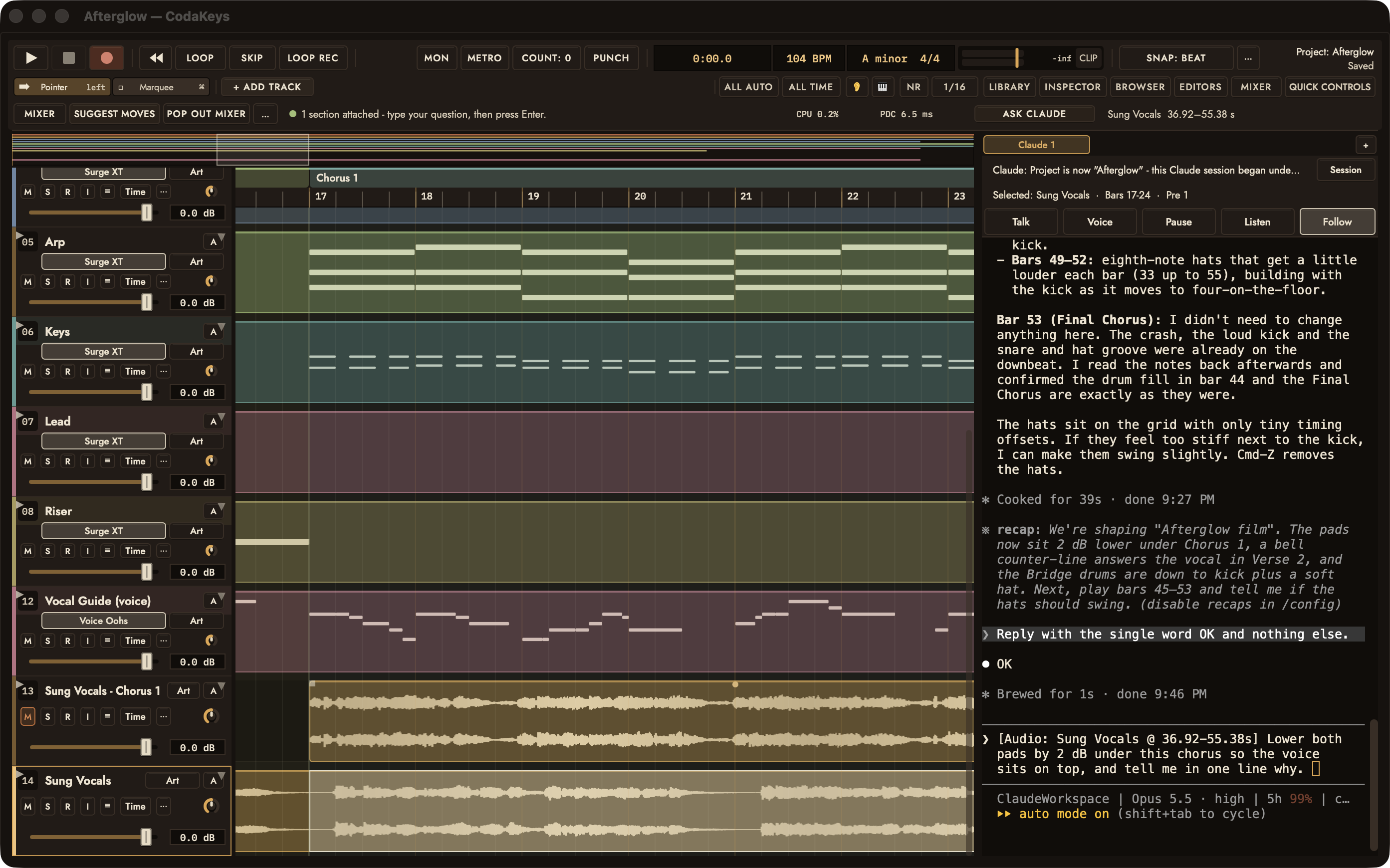
Highlight the bars you want to work on and press Ask Claude. CodaKeys attaches the track and passage to your request, so “this chorus” has a place in the song. The capture shows the real Claude panel with the selection attached.
Step by step in the guide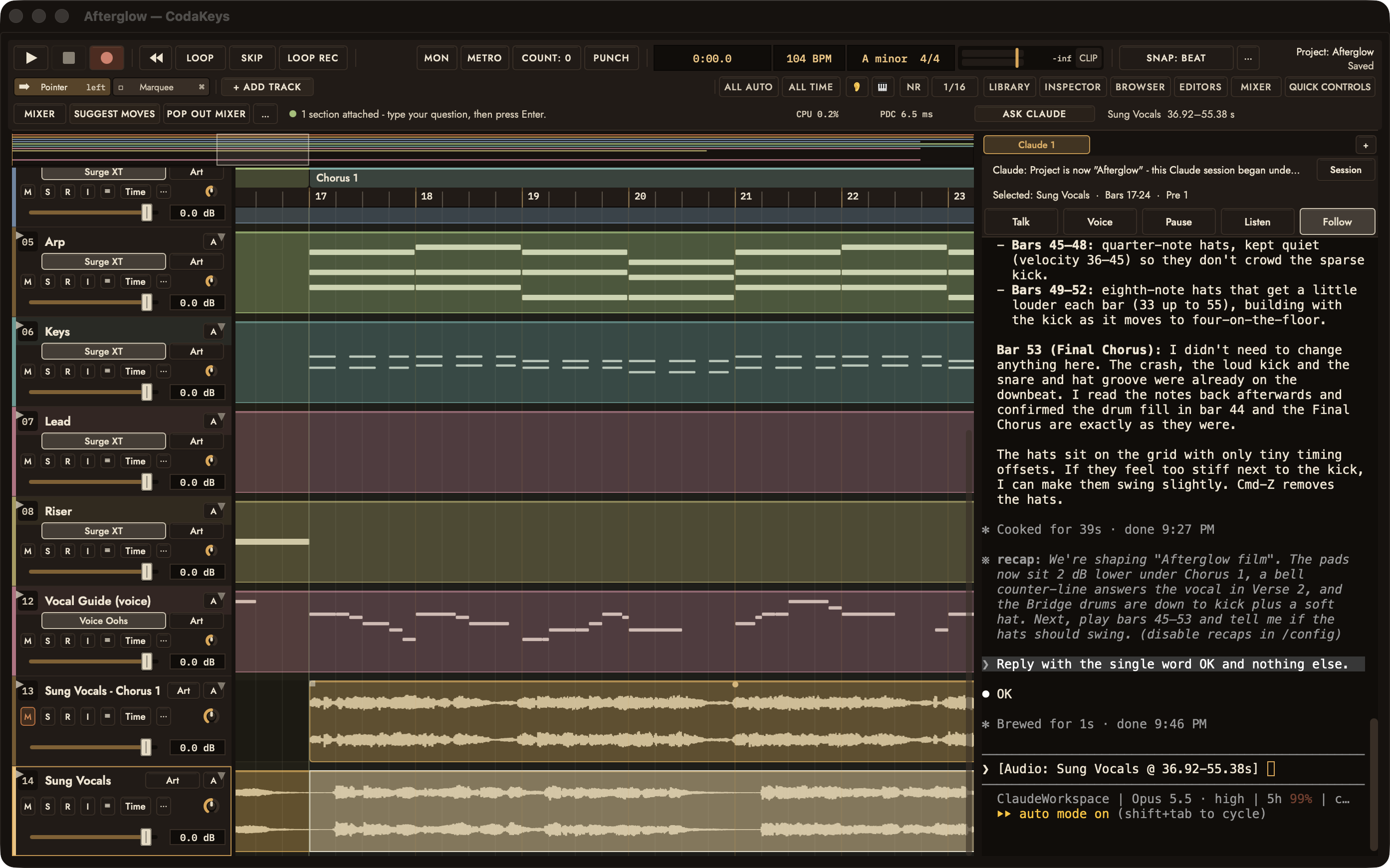
02 / In the session
A voice becomes a track.
Afterglow is synths and drums written as MIDI, with an ElevenLabs vocal sung over that band. The take lands as an audio clip you can audition, mute, move, and mix. Generation uses your own ElevenLabs account and asks for approval before spending credits.
More in the tour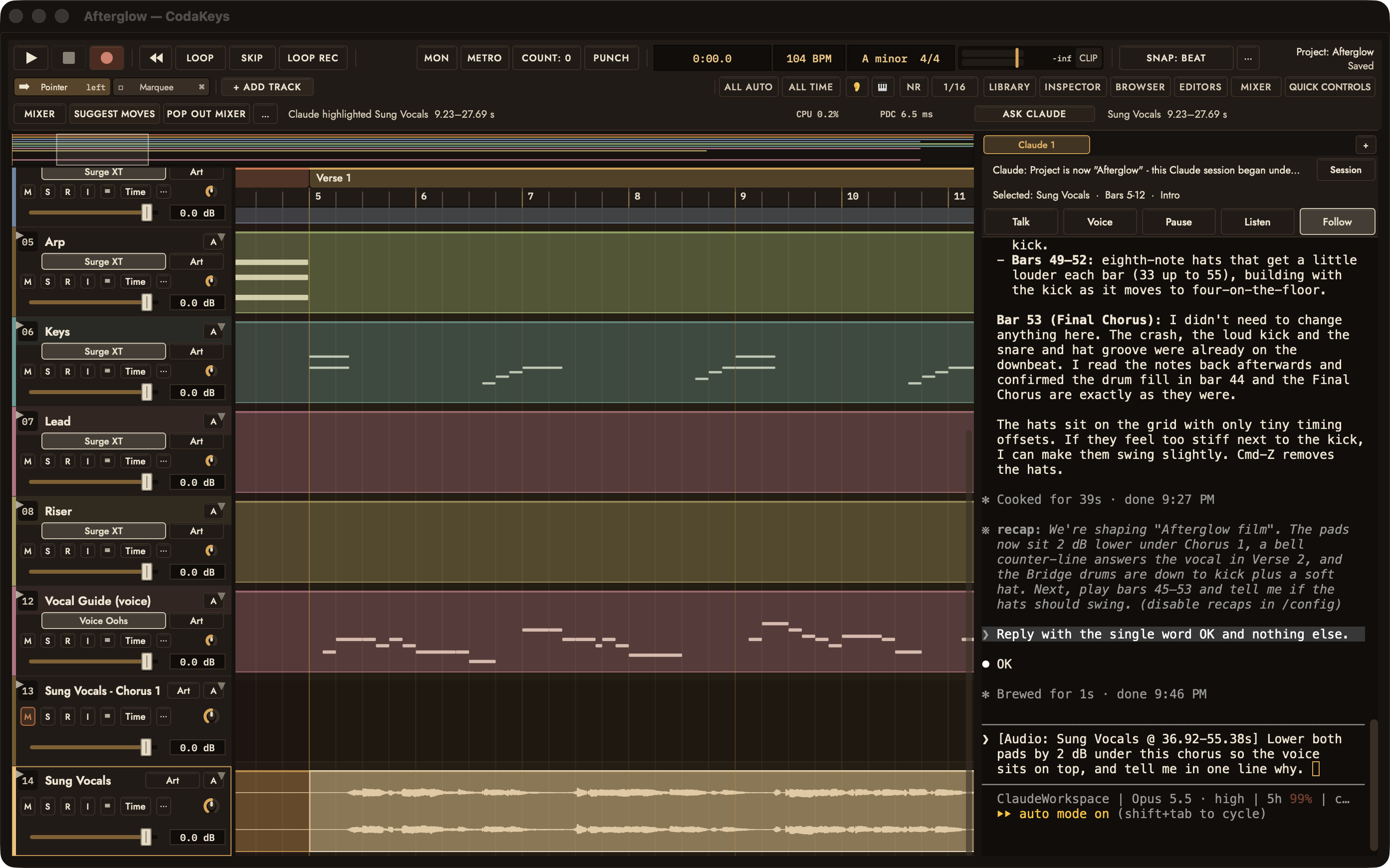
03 / In the session
Keep your hands on the mix.
Work the faders yourself, or ask Claude Code to help with levels, effects, and instruments. Your MIDI notes, audio clips, AU and VST3 plug-ins are still there to shape. Listen, adjust, and keep what serves the song.
More in the tour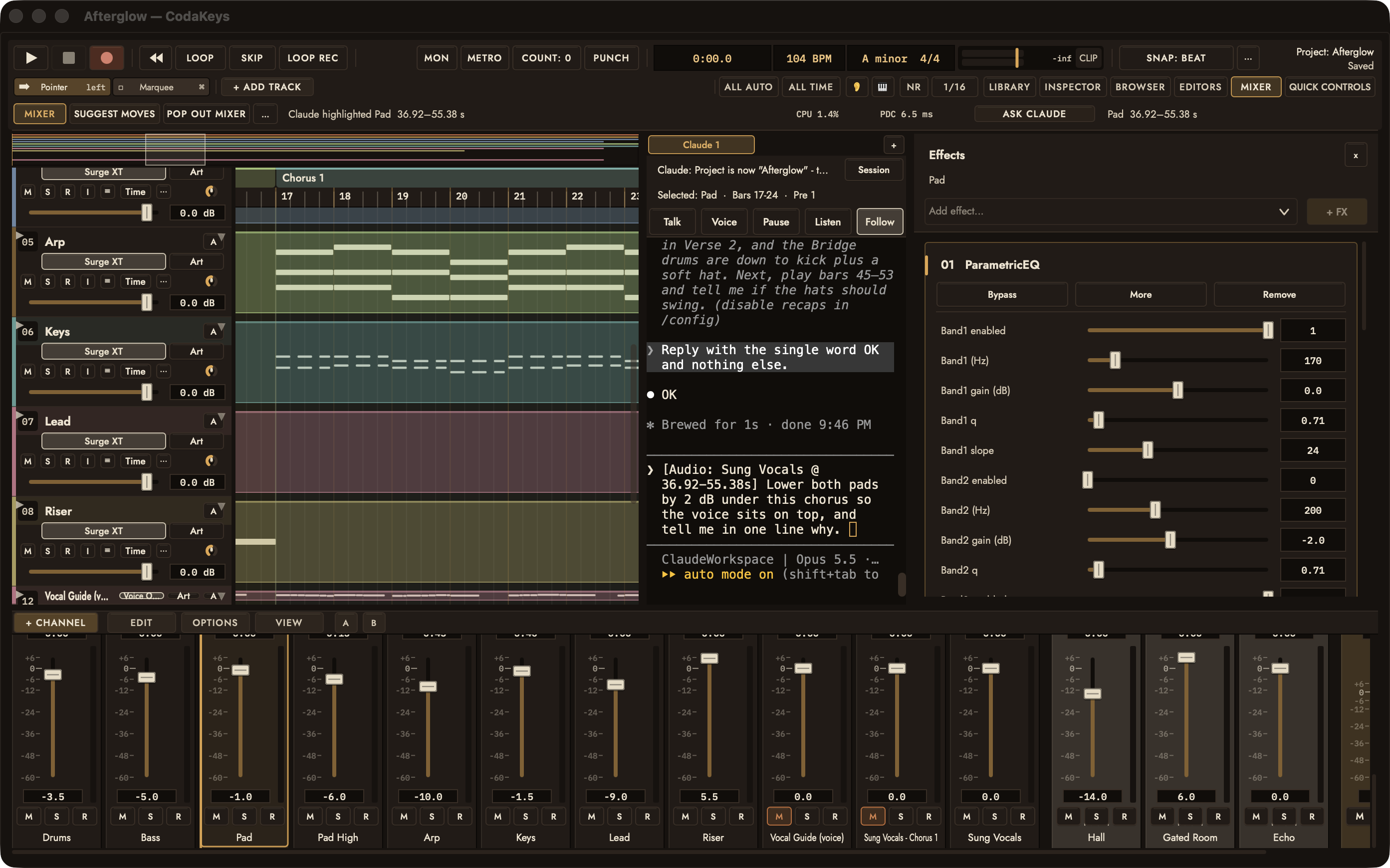
See it. Hear it.
From a few bars to a conversation.
Select the chorus. Ask Claude.
Hear the change with the band.
Screen recording of the developer build on Afterglow: three requests typed into the real Claude panel, three real edits, then playback. Claude’s thinking time is shortened in the edit; nothing else is.
Read the walkthrough
- Chorus 1 is selected on the Sung Vocals track and attached with Ask Claude.
- The request is typed into the Claude panel: lower both pads by 2 dB under this chorus so the voice sits on top, and say why in one line.
- Claude lowers both pads by 2 dB through the chorus with volume automation, and explains that the vocal and the pad share the same mids.
- Verse 2 is selected on Keys: add a simple counter-line that answers the vocal, in the song's key.
- Claude writes a twelve-note bell line in the gaps where the voice breathes, on a new Counter track.
- The Bridge is selected on Drums: thin the drums to kick and a soft hat, and bring the full kit back for the final chorus.
- The Bridge was already kick-only, so Claude adds soft hats that build into the final chorus and leaves the final chorus untouched.
- Playback from the final chorus with the three changes in place. The requests are typed into the panel by the recording script; the replies and the edits are Claude's. Thinking time between a request and its reply is shortened in the edit.
The sound behind the screen
Hear Afterglow.
30 seconds of chorus 1: the band written as MIDI in CodaKeys, and the ElevenLabs vocal sung over it.
AFTERGLOW / CHORUS 1 / 0:30
Written and produced in CodaKeys by Elliot Bostick with Claude · vocals generated with ElevenLabs
From install to first idea
How it works
- 01
Download
Download the DMG and drag CodaKeys to Applications. It is signed and notarized by Apple.
- 02
Sign in to Claude
Install Claude Code and sign in once from Terminal. CodaKeys' Claude tab runs that same CLI; Settings › Studio Setup shows the command.
- 03
Ask
Open a project, highlight some bars, and ask.
Before you press play
A few practical things.
Do I need to write code?
Ask for musical changes in plain language. Claude Code runs in the app’s Claude panel; your request can be about a chorus, an instrument, or a mix. Select some bars first to give it context.
What stays editable?
MIDI stays as notes. Recorded and generated audio stays on tracks. Faders, effects, and plug-ins remain available for you to adjust in the DAW.
What is Claude Code?
Anthropic’s command-line tool for working with Claude. CodaKeys’ Claude panel runs your own copy of it, signed in to your own Claude account. CodaKeys is made by Bostick Technologies and Art LLC, not by Anthropic.
What do I need to get started?
An Apple silicon Mac running macOS 13 or later, plus Claude Code installed and signed in to your Claude account. CodaKeys is free during the beta; Claude account access is separate.
Does my music leave my Mac?
Your projects, recordings and settings stay on your Mac. The Claude panel sends your prompts, and the parts of the project Claude reads, to Anthropic under your own Claude account. Other services, such as ElevenLabs, are contacted only when you use their features. CodaKeys sends crash and performance reports only if you turn them on. The Privacy Policy lists everything.
Where do the sung vocals come from?
ElevenLabs sang them over the band, which was written as MIDI inside CodaKeys. The take lands on its own track and stays editable like everything else. Generation is optional, uses your own ElevenLabs account, and asks for approval before spending credits.
Your next session starts here
Ask for the beta.
Leave your email. Once you’re approved, your own download link arrives from beta@codakeys.com, and you’ll hear when there’s something new.
Your email is used only for the CodaKeys beta and its updates. Unsubscribe any time. Privacy Policy