 CodaKeys
Features
What else is in the studio
The home page shows highlight-to-ask and sung vocals. Here is the rest, with where to find each.
Hum it, get MIDI
Where Talk in the Claude panel, or hold fn
Hold the Globe key (fn) or Talk and hum a melody or beatbox a beat, without words. The panel hands the sound to Claude, which writes it as notes on a new track: Hummed melody for a tune, Beatboxed drums for a beat. From there it is MIDI like any other part.
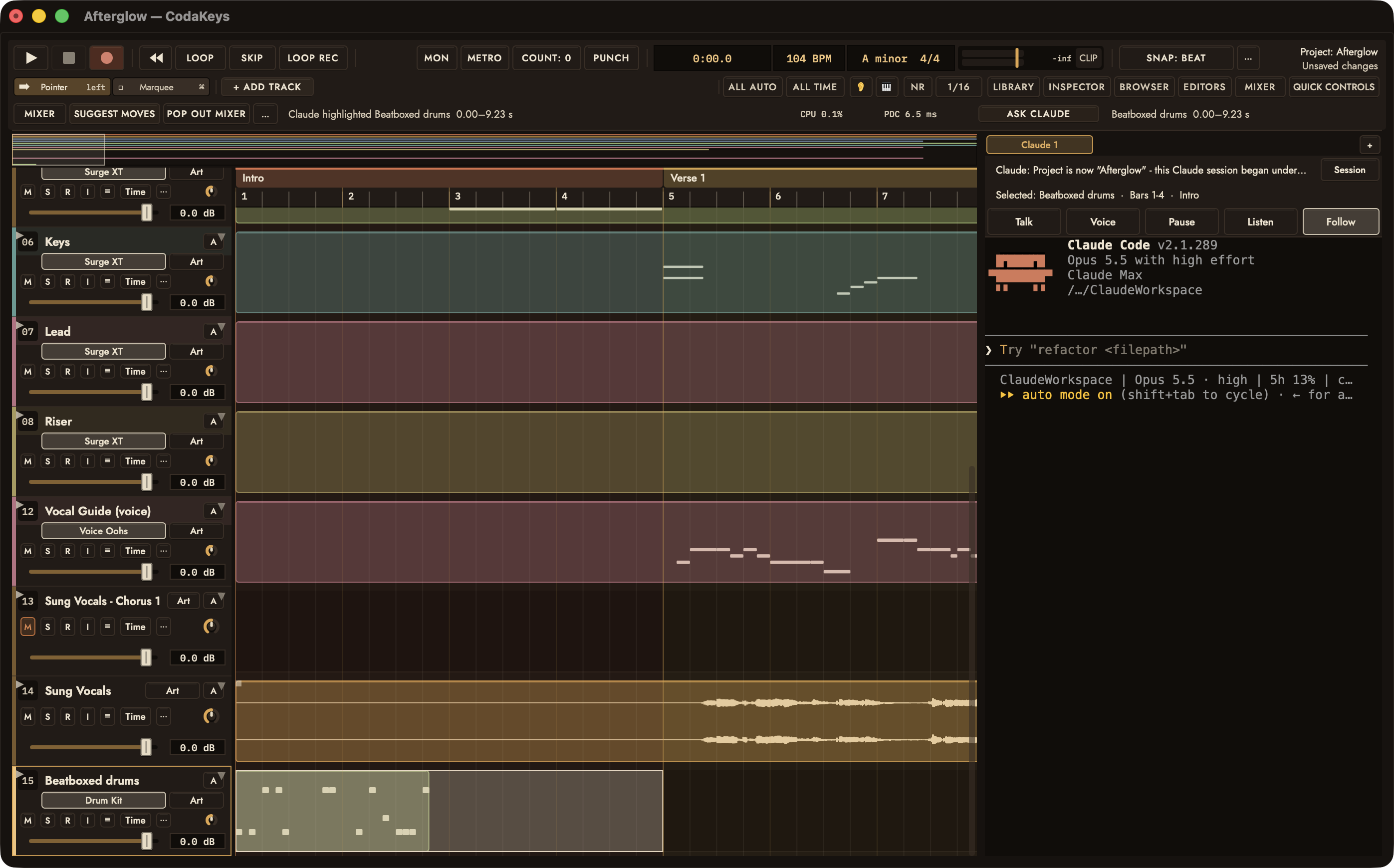
Talk to Claude
Where Voice and Talk in the Claude panel; Settings › Permissions
Turn on Voice and speak instead of typing, or use Wake word to start without a click. “Stop”, “play” and “undo” act at once. Speech goes through Apple’s speech recognition; Keep speech on this Mac (less accurate) keeps all of it on your Mac.
It asks before it spends
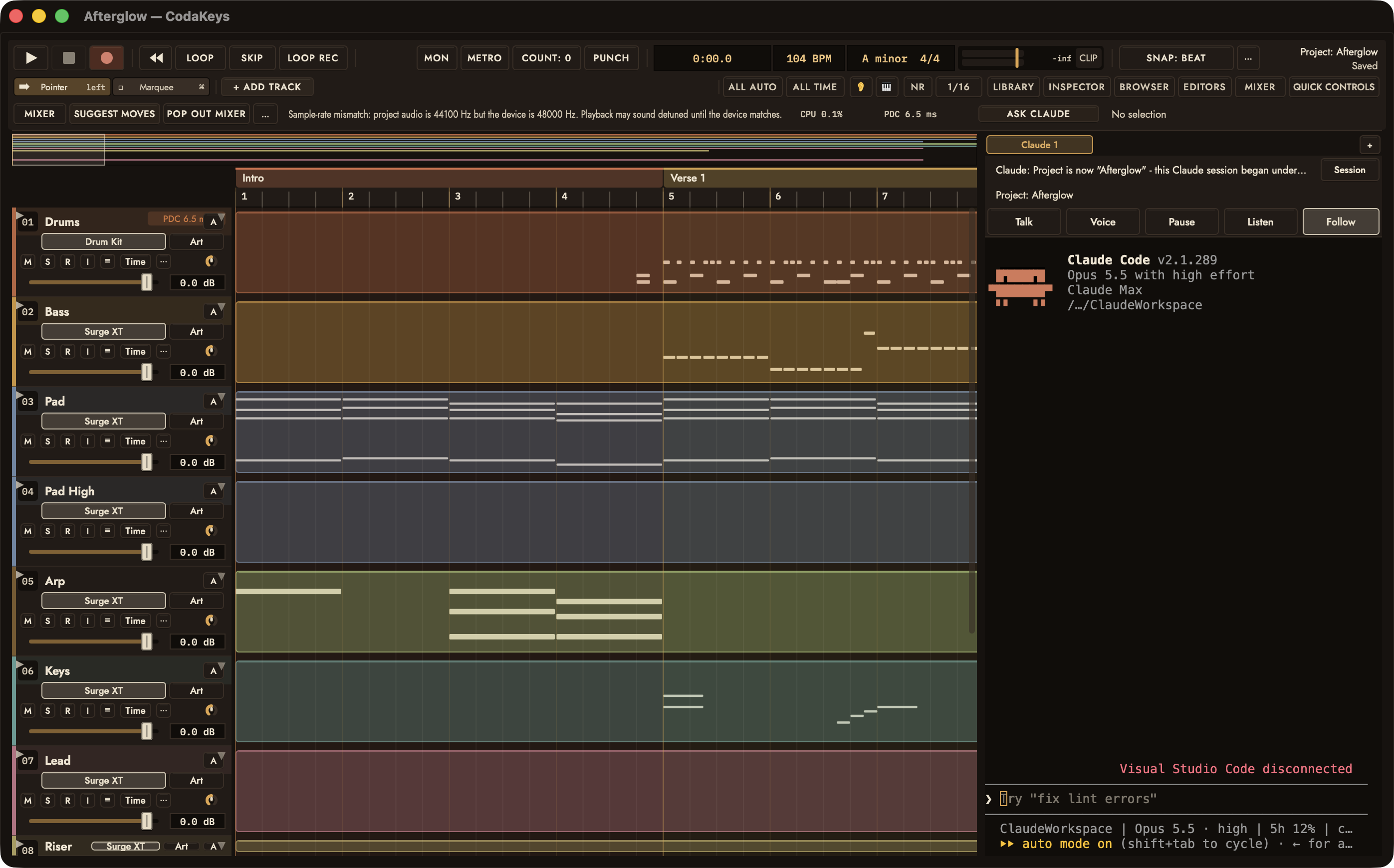
Where Claude is asking first: a card at the top of the window
Anything that costs money waits on a card that names the service and the price, such as “Claude wants Eleven Music to sing 0:30 of your lyrics...”. The card says plainly that once it runs the money is spent, and that undo removes the track but not the charge.
Approve all is never offered for spending, so every charge is its own yes. Generation uses your own ElevenLabs account.
Plug-ins that can’t take the session down
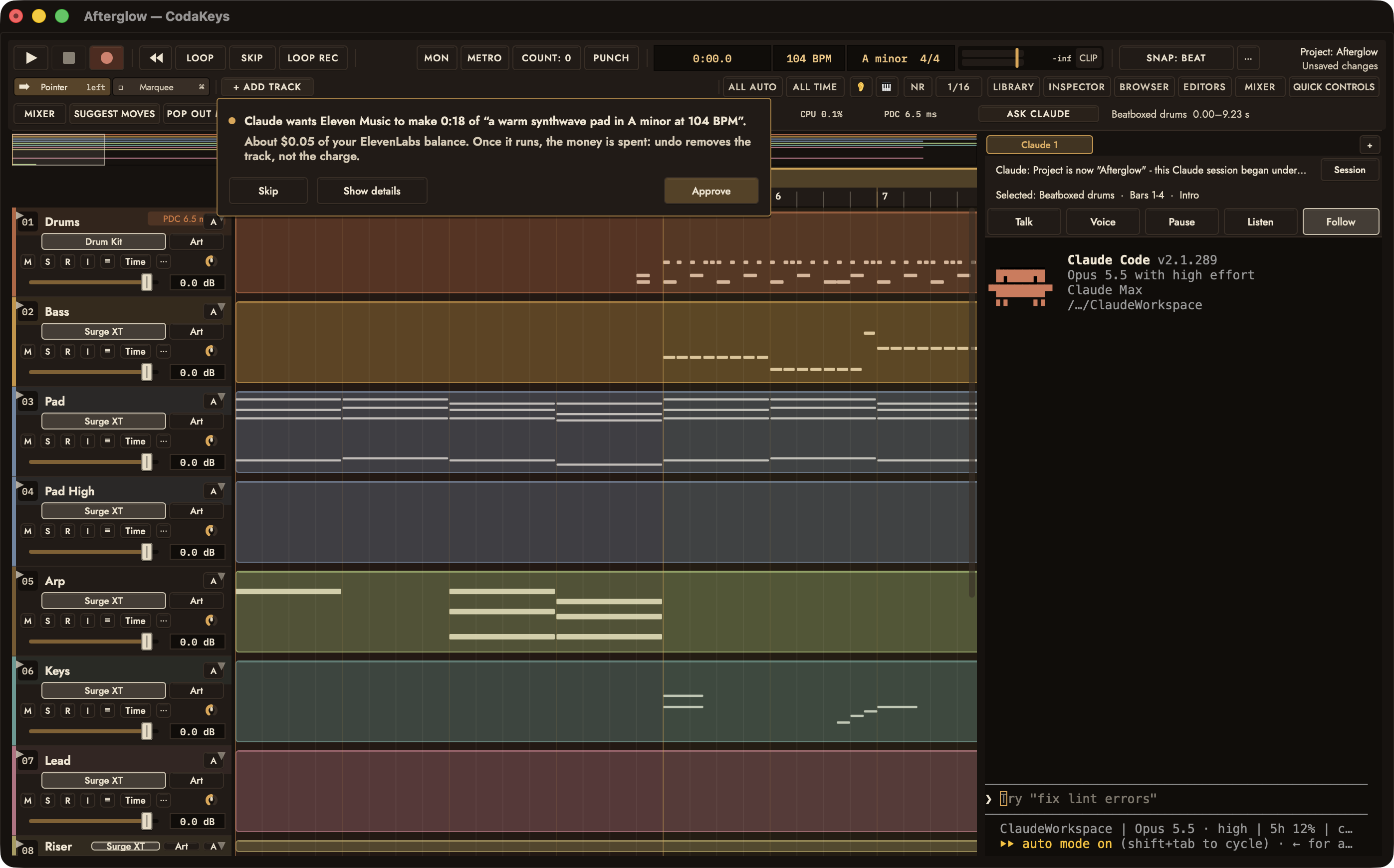
Where Window › Plug-in Manager...; Settings › General
CodaKeys hosts AU and VST3 plug-ins, each running in a helper of its own. If one crashes, it comes back with its last settings and the status line says so, as in “Surge XT on Pad crashed - restarting it with its last settings.” After a third crash in a session it stays off until you choose Turn Back On.
Plug-ins run: in Settings › General switches between each on its own (the default) and inside CodaKeys.
Mix moves and the Mastering Coach
Where Mix menu
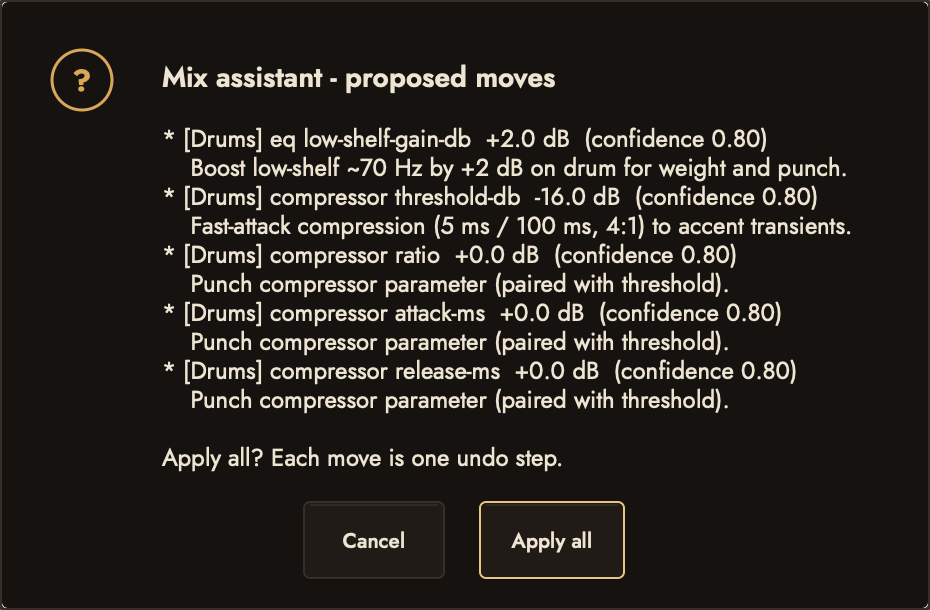
Mix › Suggest Mix Moves... asks what you are after, such as Vocal forward, Less mud or Brighter, and proposes moves for this mix, each with its track, the change and a one-line reason. Apply all makes them, and each move is one undo step.
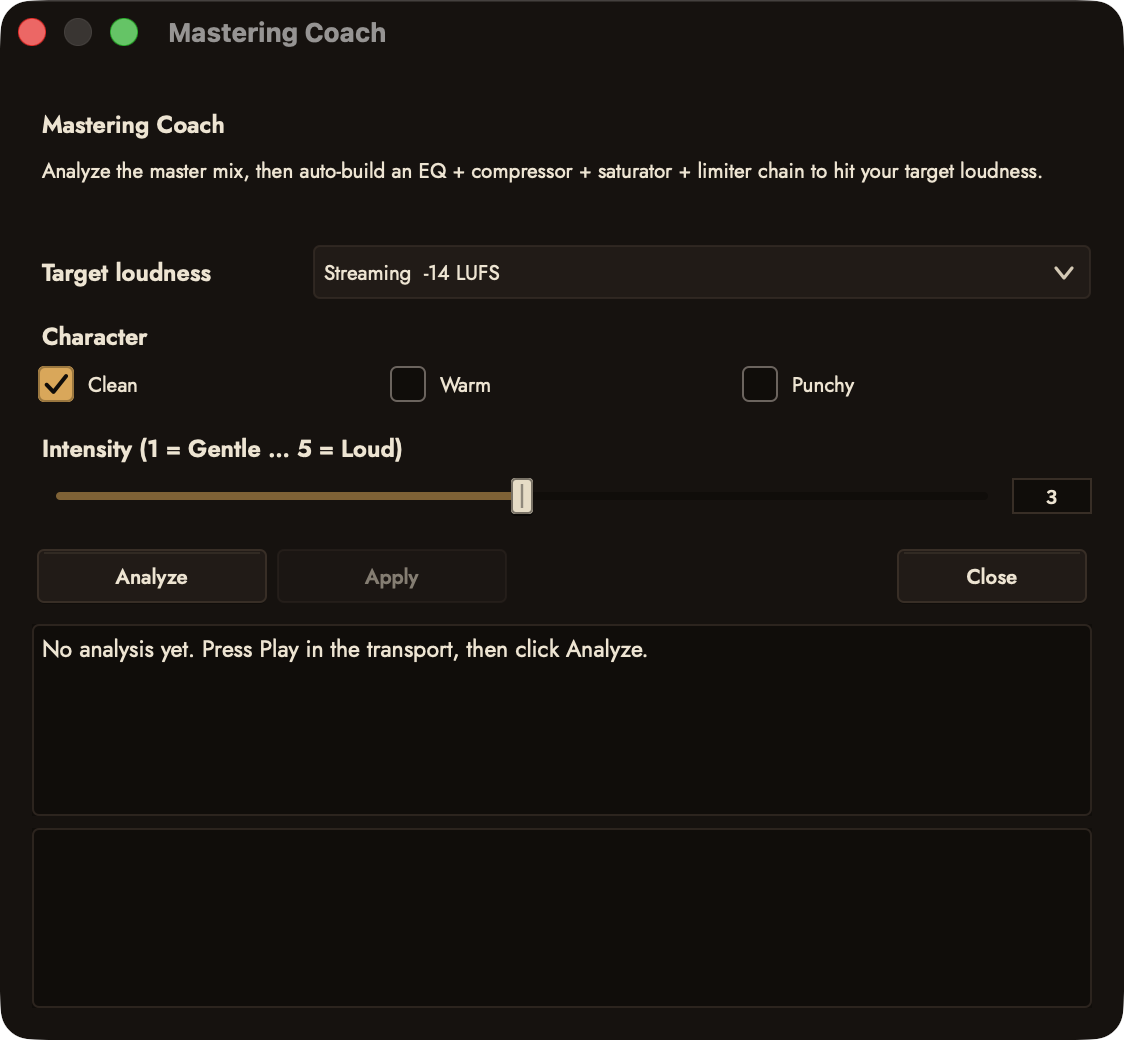
Mix › Mastering Coach... measures the mix against a target, Streaming (−14 LUFS), Apple Music (−16), Loud (−9) or Dynamic / Album (−18), and Apply sets up the mastering chain to reach it.
Export the mix and the stems
Where File › Export...
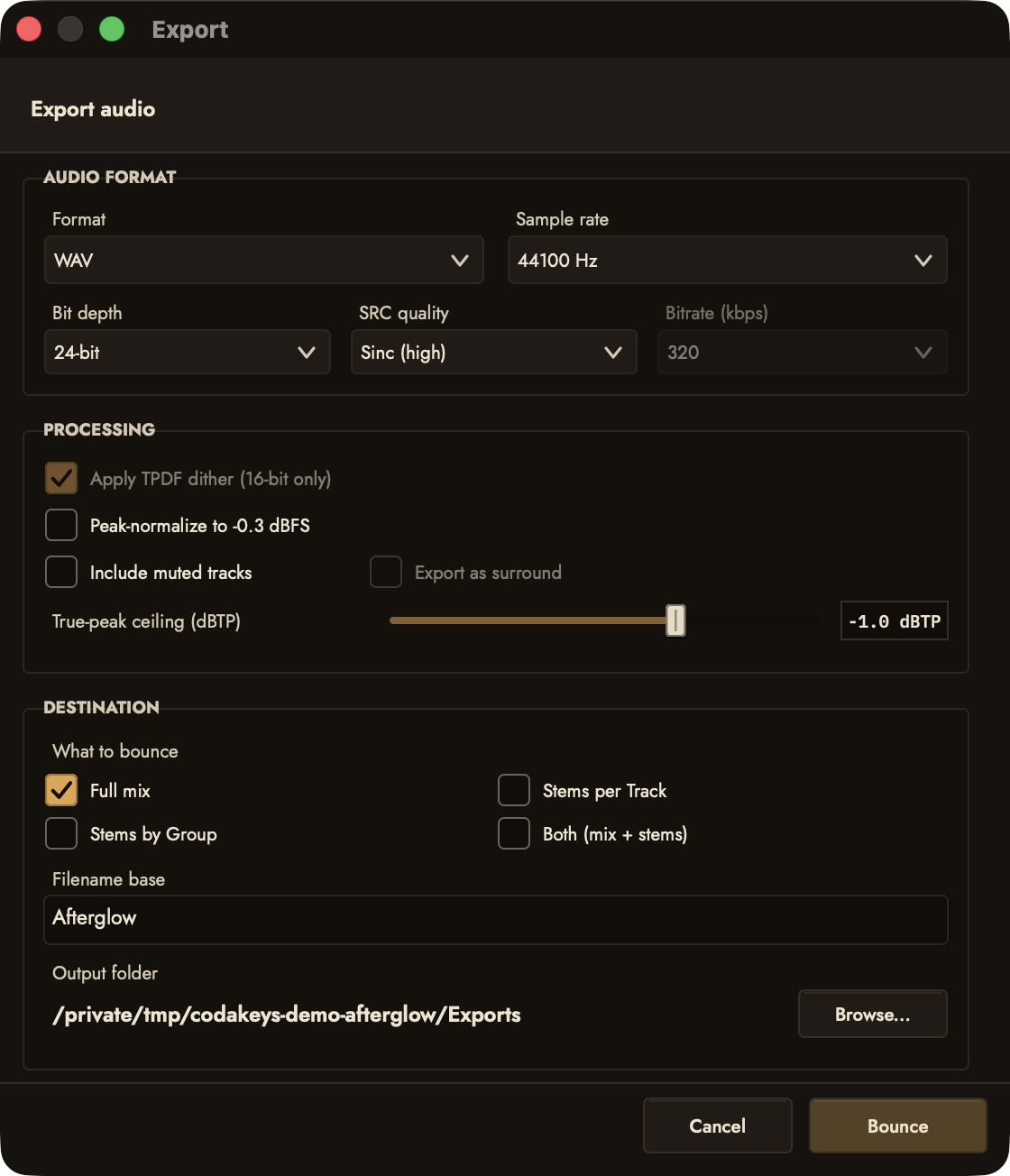
File › Export... writes WAV, AIFF or FLAC, and MP3 or M4A once ffmpeg is installed. Choose Full mix, Stems per Track, Stems by Group or Both (mix + stems), then Bounce.
On a track, Freeze Track and Bounce in Place render it to audio. To export a track’s MIDI, ask Claude.
Sounds to play
Where Library in the toolbar; Settings › Studio Setup › Sounds to play
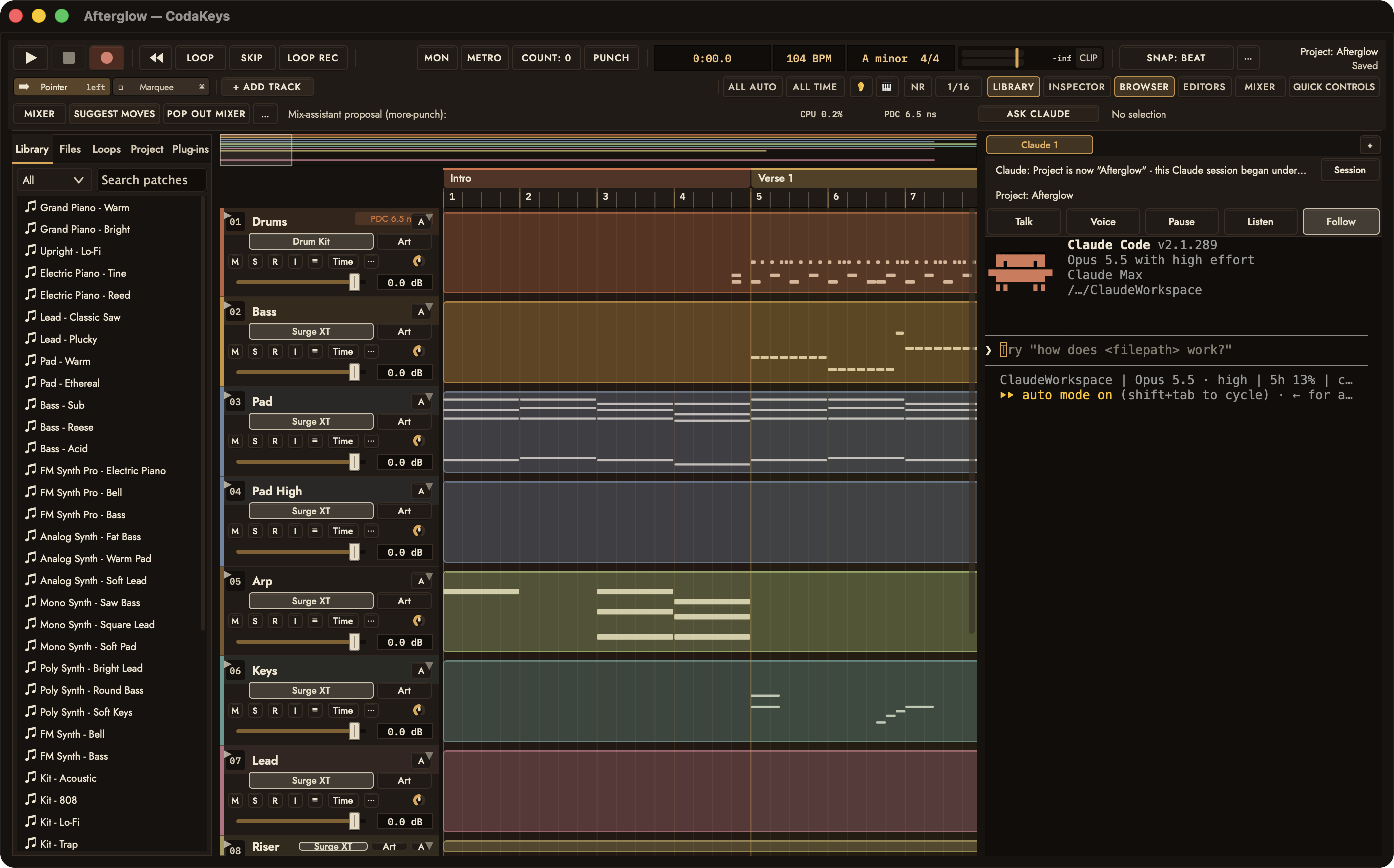
Past the built-in instruments: Surge XT and its presets once it is installed, sample libraries through sfizz, Creative Commons samples from Freesound with a free key, and sound effects generated by ElevenLabs, which ask first like any paid call.
42 slash commands
Where Type /ck- in the Claude panel
CodaKeys puts 42 commands of its own into Claude Code. Each is a way of working that Claude follows step by step, from a first sketch to a finished master.
Writing
/ck-compose- Write a part from scratch as editable MIDI: chords, bass, melody, drums.
/ck-sketch- A rough eight-bar sketch in one pass, so there is something to react to.
/ck-drums- Drum parts with grooves true to the genre, ghost notes and fills.
/ck-bass- Basslines locked to the kick and the harmony.
/ck-chords- New progressions, or richer chords for the ones you have.
/ck-melody- Toplines, hooks and counter-melodies.
/ck-lyrics- Lyrics that fit the melody’s rhythm.
/ck-fill- Fills, risers and turnarounds between sections.
/ck-arrange- Turn a loop into a song: sections, energy, transitions.
/ck-structure- Label the song’s sections as markers.
Editing and feel
/ck-edit- Targeted changes to parts you already have.
/ck-articulate- Note lengths: legato, sustained, detached or staccato.
/ck-humanize- Make programmed parts feel played.
/ck-groove- Swing and pocket, with groove templates.
/ck-automate- Volume rides, filter sweeps and sends that move.
/ck-song-check- Proofread for out-of-key notes, clashes and stuck notes.
Sound
/ck-sound- Pick and shape the patch for a part.
/ck-find-sounds- Search Freesound for Creative Commons samples.
/ck-generate-sound- Make a sound effect from a sentence; it asks before spending.
/ck-generate-music- Generate a part or stems in the song’s tempo and key; it asks before spending.
Recording and audio
/ck-record- Record your voice or an instrument at a bar, hands-free.
/ck-hum- Sing, hum or beatbox an idea and get it as notes.
/ck-rig- Set up your interface, inputs, MIDI keyboards and latency.
/ck-audio- Trim, fade, stretch, clean up and comp audio clips.
/ck-vocal- Get a recorded vocal sitting right.
/ck-separate- Split audio into vocals, drums, bass and the rest, on your Mac.
/ck-transcribe- Turn recorded audio into MIDI notes, on your Mac.
/ck-remix- Rebuild a song or a stem in a new style.
Mix and finish
/ck-mix-check- Review the mix and fix it with real moves.
/ck-master- Measure loudness and master for where the song is going.
/ck-polish- Finishing and reference mastering on rendered files, on your Mac.
/ck-reference- Compare against a track you love and pull toward it.
/ck-listen- Analyze what is in the project right now.
/ck-produce- Find the weakest element, fix it, listen again.
/ck-finish- From “basically done” to exported.
Session and help
/ck-ab- Build two or three versions to listen to and pick from.
/ck-checkpoint- Save points before bold moves, and a way back.
/ck-session- Keep the project’s notes so the next session starts warm.
/ck-explain- Why a change worked, in the song’s own notes.
/ck-theory- Key, chord and voice-leading analysis.
/ck-help- What the commands can do, and a first guided session.
/ck-setup- Set up the studio, as Studio Setup does.